
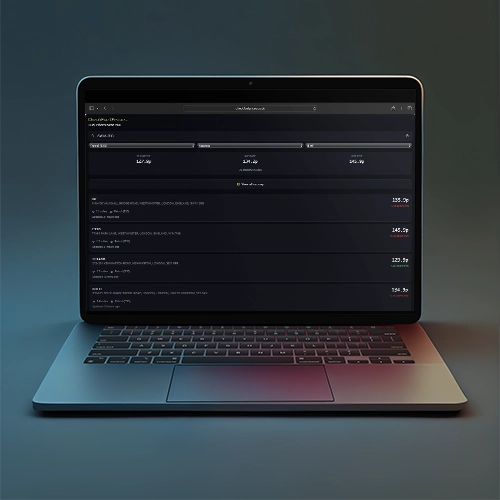

Want to add real-time fuel prices to your website? The CheckFuelPrices widget lets you embed live UK petrol and diesel prices in minutes – completely free, fully customisable, and powered by official government data.
Whether you run a news site, motoring blog, local community page, or business website, giving your readers instant access to fuel prices keeps them engaged and coming back.
Why Add a Fuel Price Widget?
Fuel costs affect everyone. With petrol averaging 131.60p and diesel at 141.46p per litre, drivers are actively searching for ways to save money at the pump. A fuel price widget on your site:
Increases engagement – Visitors check prices, bookmark your page, and return regularly for updates.
Adds genuine value – You’re giving readers useful, actionable information they can use immediately.
Requires zero maintenance – Prices update automatically every 30 minutes. Set it up once and forget it.
Costs nothing – The widget is completely free with no usage limits, no API keys, and no premium tiers.
Powered by Official Data
Since February 2026, all UK petrol stations must report prices to the government’s Fuel Finder Scheme within 30 minutes of any change. The CheckFuelPrices widget pulls directly from this official source, meaning your readers see accurate, current prices – not stale crowdsourced guesses.
Over 8,000 UK stations are covered, with more joining the scheme daily.
How It Works
Adding the widget to your site takes two minutes:
Option 1: JavaScript embed (recommended)
Add the script to your page:
<script src="https://checkfuelprices.co.uk/js/widget.js"></script>
Then place a container where you want the widget:
<div data-cfp-widget data-postcode="SW1A 2DR"></div>
→ Build this widget visually with the configurator
Option 2: iframe embed (for Wix, Squarespace, etc.)
If your platform restricts custom scripts:
<iframe
    src="https://checkfuelprices.co.uk/widget/embed?postcode=SW1A%202DR"
    width="100%"
    height="600"
    frameborder="0"
    title="Fuel Prices Widget"
></iframe>
→ Generate your iframe code with the configurator
That’s it. The widget appears with live prices for the specified location.
Fully Customisable
Tailor the widget to match your site and audience:
Location – Set a default postcode, city, or GPS coordinates. Perfect for local news sites covering specific areas.
Fuel type – Show E10 petrol, E5 super unleaded, diesel, or premium diesel. A motoring site might show all options; a logistics blog might default to diesel.
Sort order – Display by nearest station, cheapest price, or most expensive (useful for price comparison content).
Search radius – From 2 miles for urban areas to 50 miles for rural coverage.
Number of stations – Show 3 for a compact sidebar widget or up to 20 for a full-page feature.
Theme – Light, dark, or auto-match to your site’s colour scheme.
Brand filter – Show only specific brands like Tesco, Asda, Shell, or BP.
Search bar – Include it so visitors can search their own postcode, or hide it for a cleaner look.
→ Explore all options in the widget configurator
Example Configurations
For a local news site covering Manchester:
<div
    data-cfp-widget
    data-postcode="M1 1AE"
    data-limit="10"
    data-radius="10"
></div>
→ Customise this in the configurator
For a motoring blog sidebar (compact, no search):
<div
    data-cfp-widget
    data-postcode="London"
    data-show-search="false"
    data-show-filters="false"
    data-limit="5"
></div>
→ Customise this in the configurator
For a fleet/logistics site (diesel only, cheapest first):
<div
    data-cfp-widget
    data-postcode="Birmingham"
    data-fuel="B7"
    data-sort="price_low"
    data-radius="25"
></div>
→ Customise this in the configurator
For a national site (let users search their area):
<div
    data-cfp-widget
    data-search-first="true"
    data-limit="10"
></div>
→ Customise this in the configurator
Lightweight & Fast
The widget is built for performance:
Shadow DOM isolation – Styles won’t conflict with your existing CSS.
Lazy loading – Only loads when visible, keeping your page speed scores healthy.
Minimal footprint – No bulky frameworks or dependencies.
Your Core Web Vitals won’t take a hit.
Use Cases
News websites – Add a fuel price widget to your money, motoring, or local news sections. Update your weekly fuel price articles with live, embedded data rather than static screenshots.
Motoring blogs – Give readers practical value alongside your reviews and guides.
Local community sites – Show prices for your specific town or region.
Business websites – Fleet operators, delivery companies, and logistics firms can embed prices for quick driver reference.
Comparison sites – Add fuel prices alongside your existing financial or consumer tools.
Price tracking content – Embed the widget within articles about fuel costs, making your content more interactive and evergreen.
Technical Details
For developers who want more control, the widget offers a JavaScript API:
const widget = new FuelPriceWidget('#my-container', {
    postcode: 'SW1A 2DR',
    fuel: 'E10',
    theme: 'dark',
    limit: 10
});

// Update location dynamically
widget.setLocation(51.5074, -0.1278);

// Change fuel type
widget.setFuel('B7');

// Refresh data
widget.refresh();
→ Start with the visual configurator, then customise with the API
All Configuration Options
| Attribute | Description | Example Values |
|---|---|---|
| data-postcode | Location to search | SW1A 2DR, Manchester, Leeds |
| data-coords | GPS coordinates | “51.5074, -0.1278” |
| data-fuel | Fuel type | E10, E5, B7, SDV |
| data-sort | Sort order | distance, price_low, price_high |
| data-radius | Search radius (miles) | 1-50 |
| data-limit | Stations to show | 1-20 |
| data-theme | Colour theme | light, dark, auto |
| data-brand | Filter by brand | Shell, BP, Tesco, Asda |
| data-show-search | Show search bar | true, false |
| data-show-filters | Show filter dropdowns | true, false |
| data-search-first | User enters location first | true, false |
→ Configure all these options visually
No Catches
The widget is genuinely free:
- No usage limits
- No API keys required
- No mandatory attribution (though a link back is appreciated)
- No premium tier or paywalled features
- No ads injected into the widget
We built this to make fuel price data more accessible. The more sites embedding it, the more drivers benefit.
Get Started
Ready to add live fuel prices to your site?
- Visit the widget configurator to build your widget visually
- Copy the generated embed code
- Paste it into your website
- Done – prices update automatically
Need help integrating or have a feature request? Get in touch.